
Product labels can lose adhesion, fade, wrinkle, or become unreadable while the equipment they identify is still in service. Testing described by UL Solutions examines permanence through exposure to conditions such as humidity, water, elevated temperature, sunlight, and chemicals, followed by checks for adhesion, legibility, and physical damage.
A reliable durable product identification process therefore starts before the first label is printed. Manufacturers need to define the product surface, expected service life, application temperature, and likely exposure to abrasion, moisture, ultraviolet light, cleaners, oils, or other substances. These requirements create a practical bridge between the operating environment and the hardware and software selected to produce the marking.
Why Labels Fail Before Products Do
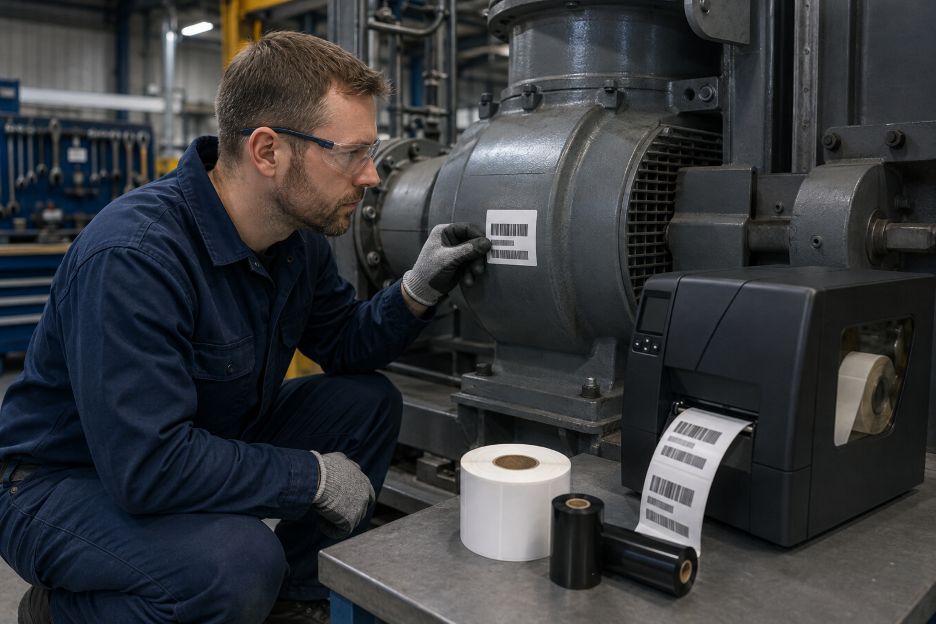
A label is a layered system rather than a single sheet. Facestock carries the printed image, adhesive bonds it to the product, and the ink or thermal-transfer ribbon forms the visible information. UL Solutions explains that ANSI/UL 969 evaluates labels as complete systems because performance depends on the interaction among the label stock, printing material, surface, and conditions of use.
This systems view explains why a strong adhesive alone cannot guarantee longevity. A paper face may absorb moisture, an unsuitable ribbon may rub away, or a label designed for smooth metal may lift from textured plastic. Guidance from Avery Dennison notes that adhesion can vary by substrate and should be tested against expected temperature, humidity, chemical, and ultraviolet exposure.
The Hardware Side: Printer, Ribbon, and Label Construction
Printer choice sets the foundation for image durability. Direct thermal equipment forms an image on heat-sensitive media, while thermal-transfer equipment heats a ribbon and transfers its colorant to the label. Zebra Technologies identifies thermal transfer as the longer-lasting option for uses such as asset tags and certification labels, provided that the ribbon and media are properly matched.
The ribbon formulation also changes performance. Wax ribbons generally suit coated paper and ordinary handling, while wax-resin and resin formulations are intended for progressively more demanding resistance needs. Zebra Technologies groups thermal-transfer ribbons into wax, wax-resin, and resin options and stresses matching the formulation to the label material and application.
Facestock and adhesive must then fit the physical product. Synthetic films can offer better resistance to moisture, chemicals, and abrasion than ordinary paper. Adhesive selection should consider whether the surface is metal, glass, painted material, or a low-surface-energy plastic.
Some environments demand evidence beyond a supplier description. Avery Dennison summarizes BS 5609 testing for marine labels, including weathering, temperature cycling, seawater immersion, abrasion, salt spray, and print permanence. For regulated products, the chosen construction should be evaluated against the standard and end-use conditions that actually apply.
The Software Side: Templates and Print Controls
Software and the computer’s processor work together to turn a template into printer instructions. Readers seeking background on how CPUs work can see how processors execute instructions and calculations. The label application then controls dimensions, margins, fonts, warning symbols, barcodes, variable-data fields, and the layout assigned to each media size.
Templates should be locked to the printer’s native resolution and actual label size. Images that are scaled unexpectedly can produce soft edges, narrow text, or distorted codes. Barcode data should also be generated in the required symbology rather than inserted as an ordinary graphic. GS1 explains that barcodes encode identifiers in symbols designed for electronic scanning, so the data structure and printed form must work together.
Driver settings are equally important. Heat, speed, media type, and print mode influence how well colorant transfers. Documentation from Zebra Technologies states that print quality depends on printhead heat, printing speed, and loaded media. Excess darkness can blur an image or interfere with barcode scanning, while reducing speed can improve output when the initial result is weak.
Aligning Both Sides Through Testing
A useful qualification process begins with representative products, not a clean laboratory panel alone. Teams can print test labels with the final template, approved ribbon, production printer, and documented settings. Samples should be applied using the normal cleaning method and then exposed to realistic handling, temperature changes, liquids, sunlight, and abrasion. Barcode scans and visual inspections can be recorded at planned intervals.
Version control completes the process. Each approved template should identify the printer model, resolution, stock, ribbon or ink, darkness, speed, and revision date. If any element changes, the combination should be reviewed again. This approach reflects UL Solutions guidance that conditions of acceptability may specify application surfaces, temperature ratings, print colors, label sizes, and exposure limits.
A System That Lasts as Long as the Product
Long-lived identification comes from alignment. Hardware supplies the physical resistance, while software preserves the layout and controls how the image is produced reliably and consistently. By defining the environment, selecting compatible components, controlling templates and settings, and testing the finished result, manufacturers can create labels that remain attached, legible, and useful throughout the intended product life.